
World Cup 2026 match schedule Excel: The Right Way to Do It
Learn how to build and utilize a World Cup 2026 match schedule Excel spreadsheet to automatically track results, group standings, and knockout rounds step by step.
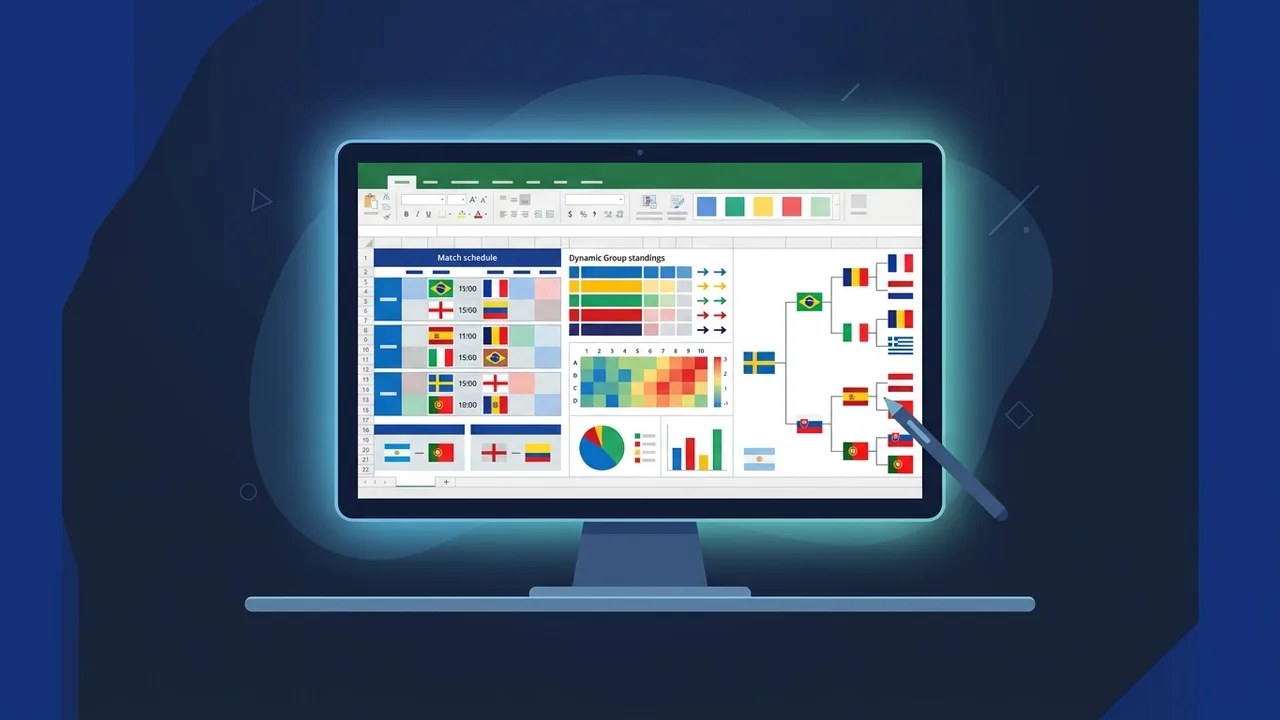
Overview of World Cup 2026 match schedule Excel
The highly anticipated World Cup 2026 is just around the corner, bringing massive changes to the tournament structure. With 48 teams competing across three host countries, staying on top of the groups, matches, and standings can be a daunting task. Utilizing a World Cup 2026 match schedule Excel template is the most efficient and interactive way to manage this complexity. Whether you are a dedicated football fan, a sports analyst, or someone running a friendly prediction tournament in Saudi Arabia, having a dynamic spreadsheet makes tracking the tournament incredibly seamless and engaging.
A dynamic World Cup 2026 match schedule Excel is far more than a simple static list of dates and teams. It serves as an automated simulator and calculator designed specifically to accommodate the tournament's new 12-group format. By inputting match scores as they happen, the spreadsheet utilizes advanced formulas to automatically update group standings, calculate goal differences, and determine which teams qualify for the knockout stages. For football enthusiasts who demand precise statistics and real-time updates, this offline-friendly Excel tool delivers a premium, customized tracking experience.
Key Features
A well-built World Cup 2026 match schedule Excel offers several unique technical and functional features that enhance your tournament tracking:
- Real-time Standings Updates: Inputting a score instantly triggers the spreadsheet to recalculate points, wins, losses, goals scored, and goal differences for the involved teams.
- Automated Knockout Progression: Advanced formulas dynamically route the top 2 teams from each group, along with the 8 best third-placed teams, directly into the Round of 32.
- Local Time Zone Conversion: You can easily adjust kickoff times to Saudi Arabian Standard Time (GMT+3), ensuring you never miss a live match.
- Offline Functionality: Unlike online tracking applications, your Excel workbook is always accessible, allowing you to update and analyze scores even when you are offline.
- Customizable Interface: Users can apply custom themes, highlight their favorite teams, or add conditional formatting to visualize data clearly.
How to Use
Creating or operating your own World Cup 2026 match schedule Excel workbook is straightforward when following these systematic steps:
- Set Up the Group Stage Sheets: Create a dedicated tab for the group stage. Divide it into 12 sections (Groups A to L). For each group, list the four teams and build columns for Matches Played, Wins, Draws, Losses, Goals For, Goals Against, Goal Difference, and Points.
- Input Fixtures and Kickoff Times: List all scheduled group matches in chronological order. Include the date, time, venue, and host country. Ensure you leave empty cells for the scores.
- Implement Advanced Excel Formulas: Use
IF,SUMIFS, and sorting formulas to automate the calculation of group tables. Assign 3 points for a win, 1 for a draw, and 0 for a loss. UseRANKor custom sorting indexes to order the teams automatically. - Map Out the Knockout Stages: Create a separate tab for the knockout rounds starting from the Round of 32. Link these cells to the group stage tables so that qualified teams populate the bracket automatically based on their final standings.
- Apply Conditional Formatting: Set up rules to color-code qualified teams (e.g., green for advancing, red for eliminated) for better readability at a single glance.
Common Questions
Understanding how your spreadsheet functions ensures a smooth tracking experience. Here are some answers to guide you:
- Do I need advanced coding skills to use the Excel schedule? No, pre-designed schedules are built for ease of use. You only need to type in the scores, and the built-in formulas do the heavy lifting.
- Can I convert the match times to my local time zone? Yes, you can modify the date-time cells using basic addition or subtraction formulas to align with KSA local time (+3 GMT).
- Which version of Excel is recommended? To avoid bugs with dynamic arrays and advanced conditional formatting, using a modern and genuine version of Excel is highly recommended.
Important Tips
To ensure a seamless, error-free experience when using your World Cup 2026 match schedule Excel, keep these tips in mind:
- Backup Your Original File: Always keep an unedited, blank copy of the spreadsheet. If you make a mistake in a formula while entering scores, you can easily revert to your clean copy.
- Protect Formula Cells: Use the "Protect Sheet" feature to lock cells containing formulas. This prevents accidental deletion of complex calculations when you are quickly typing in match results.
- Use Genuine Microsoft Office Suites: Cracked or pirated Excel versions frequently crash or corrupt heavy workbooks with intricate nested formula systems and dynamic arrays.
- Verify Fixture Updates: Keep an eye on official announcements. If kickoff times or stadium allocations change, update your template promptly to maintain accurate scheduling.
Conclusion
Managing the excitement of the biggest football tournament in history becomes incredibly fun and structured when using a World Cup 2026 match schedule Excel. By taking control of the data, you can run projections, analyze team pathways, and enjoy the tournament like a true professional from start to finish.
If you need a genuine Office 2021 Pro Plus Lifetime license, you'll find it at ABMKeys at a fair price with instant WhatsApp delivery.
Frequently Asked Questions
Do I need programming experience to run the World Cup 2026 match schedule Excel?
Can I adjust the time in the World Cup 2026 match schedule Excel to match Saudi time?
What is the best version of Microsoft Office to run the Excel file without issues?
Does the World Cup 2026 match schedule Excel support smartphones?
You can get a genuine license from ABMKeys at a competitive price with instant WhatsApp delivery.
Buy Now