
Understanding Filmora 12 MAC Lifetime and Its Key Uses
Learn all about Filmora 12 MAC Lifetime for macOS, which offers a perpetual video editing license without monthly subscriptions, featuring advanced AI tools and smooth performance.
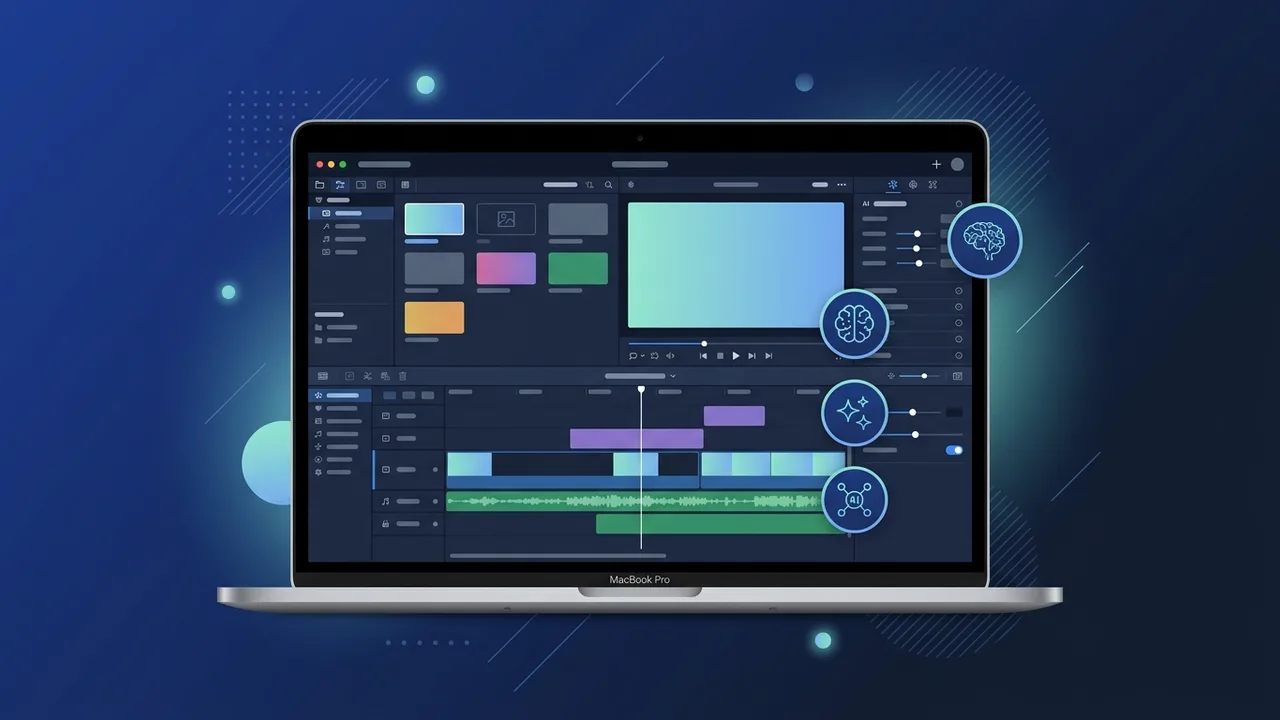
Overview of Filmora 12 MAC Lifetime
Video creation and editing have become central to communication, marketing, and creative expression in today's digital landscape. Many content creators, professionals, and small business owners in Saudi Arabia look for powerful, easy-to-use software that delivers high-quality results without tying them to ongoing monthly or yearly subscription fees. This is where Filmora 12 MAC Lifetime steps in as an outstanding solution tailored for macOS users.
The term "Lifetime" refers to a perpetual licensing model. This means that you purchase the software license once and gain the right to use version 12 indefinitely, without any recurring billing. For budget-conscious freelancers, educators, and startups, this setup offers long-term financial predictability while delivering a robust, feature-rich editing environment. It enables users to focus on creativity rather than managing ongoing software overheads.
Built to align seamlessly with macOS, Filmora 12 MAC Lifetime utilizes the hardware capabilities of Apple systems, ensuring efficient performance, quick rendering, and stability. Whether you are working with high-resolution 4K footage or simple social media clips, the software manages the processing load effectively, making it a reliable daily tool for video production.
Key Features
The success of Filmora 12 MAC Lifetime lies in its balance between advanced technological features and an approachable, user-friendly interface. Key tools included in this version consist of:
- AI-Powered Tools: Features like AI Smart Cutout allow users to easily isolate subjects and remove complex backgrounds without needing a green screen. AI Audio Stretch helps automatically adjust background music to match the exact duration of the video.
- Apple Silicon Optimization: The software is engineered to run smoothly on Macs powered by Apple Silicon chips (such as M1, M2, and M3 series), providing rapid render times and low power consumption.
- Customizable Workspace: Users can select from various workspace layouts to match their editing style, whether they prefer a simplified view or an advanced setup with multi-screen support.
- Extensive Asset Library: Access to built-in templates, transitions, titles, and royalty-free music helps creators style their videos quickly and maintain a highly professional look.
- Advanced Editing Features: Keyframing, motion tracking, and speed ramping give editors detailed control over visual effects and motion paths, elevating the overall production value.
How to Use
Starting your video editing journey with Filmora 12 MAC Lifetime is simple, even if you have no prior experience in video post-production. Here is a basic workflow to get you started:
First, download and install the software on your macOS device. Activate the software using your genuine product key to unlock all features and ensure you receive all official minor updates. Launch the application and select "New Project" to open your workspace.
Second, import your raw media files. You can drag and drop videos, audio files, and images directly into the media library. Drag your clips onto the timeline at the bottom of the screen to begin arranging your story. You can split, trim, and rearrange clips easily by moving them along the timeline tracks.
Third, enhance your footage by applying transitions between scenes, overlaying text, or adding audio tracks. Utilize the AI tools to auto-color match your footage or reduce background noise. Once your editing is complete, click on the "Export" button, choose your desired file format or destination platform, and render your final high-quality video.
Common Questions
When choosing Filmora 12 MAC Lifetime, users often seek clarification regarding the licensing terms, updates, and system capabilities. Understanding these elements helps ensure a smooth user experience:
One of the most frequent questions is whether "Lifetime" includes all future major version upgrades (such as upgrading from version 12 to 13). Typically, a lifetime license for version 12 covers all point updates within the version 12 lifecycle (e.g., 12.1 to 12.5) forever, while upgrades to entirely new major releases may require a separate upgrade fee. This model remains highly cost-effective for users who do not require immediate major version shifts.
Another common query concerns transferring the license. Yes, you can move your license to a new Mac by logging out of the software on your old device and logging in on the new one, making it highly flexible as you upgrade your hardware over time.
Important Tips
To maximize the efficiency and longevity of your Filmora 12 MAC Lifetime experience, keep the following practical guidelines in mind:
- Use Genuine Licenses: Always activate your software with a genuine key. Pirated versions or cracks expose your macOS to malware, lack essential stability updates, and often crash during resource-heavy rendering tasks.
- Keep macOS Updated: Keeping your Mac’s operating system up to date ensures better compatibility with the latest software patches, reducing the likelihood of unexpected lag or errors.
- Manage Your Storage: Video files can be massive. Working off an external SSD and periodically clearing the software's render cache can significantly improve editing speed and free up internal drive space.
- Learn Shortcut Keys: Familiarizing yourself with macOS-specific keyboard shortcuts for editing (like split, undo, and play) can double your editing speed and create a smoother workflow.
Conclusion
Acquiring a reliable, perpetual video editing tool is an excellent step for anyone serious about creating professional visual content. Filmora 12 MAC Lifetime offers an outstanding combination of ease of use, modern AI enhancements, and a one-time payment structure that avoids the burden of recurring monthly costs.
Whether you are editing marketing campaigns, educational tutorials, or creative personal projects, this software provides all the necessary tools to produce polished, high-impact results on your macOS system.
You can get a genuine Filmora 12 MAC Lifetime license from ABMKeys at a competitive price with instant WhatsApp delivery.
Frequently Asked Questions
What does a Lifetime license mean for Filmora 12 MAC Lifetime?
Does the software support modern Apple Silicon chips?
Can I transfer the license to a new Mac later?
Does the lifetime license include free upgrades to future major versions?
You can get a genuine license from ABMKeys at a competitive price with instant WhatsApp delivery.
Buy Now