
The Easiest Way to Ready-Made PowerPoint Workshop Templates
Discover how to professionally use ready-made PowerPoint workshop templates through a clear, practical step-by-step guide. Learn their key features and the best ways to customize and deliver them effectively.
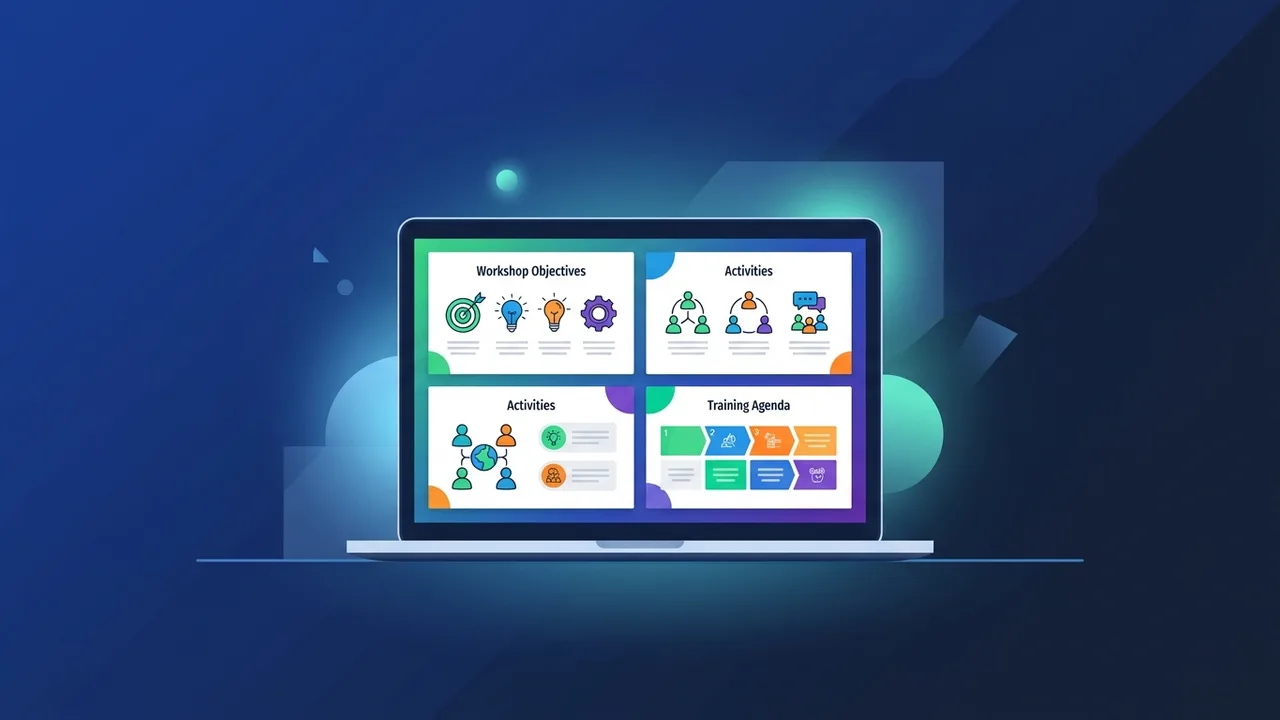
Overview of Ready-Made PowerPoint Workshop Templates
In today's fast-paced training and educational environments, ready-made PowerPoint workshop templates have become an essential resource for trainers, educators, and corporate facilitators alike. Rather than spending hours designing slides from scratch, these templates provide a professionally structured foundation that can be quickly adapted to suit any workshop topic or audience.
Whether you are organizing a soft skills training session, a technical onboarding program, or an academic workshop, a well-designed template ensures that your presentation looks polished and is logically structured from the very first slide. The growing demand for such tools reflects a broader shift toward more efficient, results-oriented training delivery.
This step-by-step guide walks you through everything you need to know about selecting, customizing, and making the most of ready-made PowerPoint workshop templates — from understanding their core features to applying practical tips that improve your final output.
Key Features of Ready-Made PowerPoint Workshop Templates
Not all templates are created equal. High-quality ready-made PowerPoint workshop templates share several defining characteristics that set them apart from basic slide decks:
- Pre-built professional design: Coordinated color schemes, typography, and layout structures ensure a visually consistent presentation without requiring design expertise.
- Workshop-specific slide structure: These templates typically include dedicated slides for objectives, agenda, interactive activities, group discussions, assessments, and closing summaries — exactly what a well-structured workshop needs.
- Full editability: All text, images, icons, and color elements can be modified to match your organization's branding or the specific theme of your session.
- Time efficiency: Preparation time is significantly reduced, allowing facilitators to focus on content quality and participant engagement rather than slide design.
- Versatility: Suitable for corporate training, academic instruction, team-building sessions, brainstorming workshops, and more.
- Cross-version compatibility: Quality templates are built to work seamlessly across PowerPoint versions, including Office 2019, Office 2021, and Microsoft 365.
How to Use Ready-Made PowerPoint Workshop Templates — Step by Step
Follow this practical guide to get the most out of any ready-made PowerPoint workshop template you choose to work with:
Step 1: Define Your Workshop Objective
Before opening any template, clearly define the purpose of your workshop. What outcome do you want participants to achieve? Who is the target audience? Answering these questions will guide your template selection and content decisions.
Step 2: Choose the Right Template
Look for a template that includes multi-purpose slides: a title slide, an objectives slide, content slides, activity slides, an evaluation section, and a closing summary. The visual style should align with the professional or academic tone you want to convey.
Step 3: Open and Begin Customizing
Open the file in Microsoft PowerPoint and start with the title slide. Enter the workshop name, the facilitator's name, the date, and the hosting organization. This simple step immediately makes the template feel personalized and relevant.
Step 4: Insert Your Educational Content
Replace the placeholder text in each slide with your actual workshop content. Keep bullet points concise — no more than five per slide — and avoid long paragraphs. The slides should support your verbal delivery, not replace it.
Step 5: Customize the Activity Slides
Many ready-made PowerPoint workshop templates include pre-designed activity slides. Adapt the instructions to match your specific exercises, group tasks, or discussion prompts. This keeps participants engaged and reinforces learning objectives.
Step 6: Review the Flow and Design Consistency
Run the presentation in full-screen mode before finalizing it. Check for font consistency, color balance, and logical progression from one slide to the next. Make sure transitions are smooth and not distracting.
Step 7: Save and Share
Save your completed file in .pptx format for future editing, and export a .pdf version if you plan to distribute handouts to participants. You can also export to video format for asynchronous digital delivery.
Common Questions About Ready-Made PowerPoint Workshop Templates
The following are frequent questions that users ask when working with ready-made PowerPoint workshop templates:
Can these templates be used for commercial training purposes?
It depends on the license terms of the specific template. Always read the usage agreement before deploying any template in a paid or commercial training context to avoid licensing issues.
What is the difference between free and paid templates?
Paid templates generally offer superior design quality, broader customization options, and technical support. Free templates can work well for simple, internal use cases but may have limited slide variety.
Do these templates work on all versions of Office?
Most professionally built templates are compatible with Office 2016 and later versions. However, some advanced animations or design effects may require newer versions such as Office 2021 or Microsoft 365 for full functionality.
How do I handle right-to-left language content in a template?
If you need to present in Arabic or another right-to-left language, go to PowerPoint's language and text direction settings. You can switch individual text boxes to right-to-left alignment without affecting the overall template layout.
Important Tips for Maximizing Your Results
- Go beyond text replacement: Update colors, fonts, and icons to align with your organization's visual identity. This transforms a generic template into a branded experience.
- Use contextually relevant images: Replace stock placeholder images with real photos or illustrations that relate directly to your workshop subject matter.
- Apply the one-idea-per-slide rule: Each slide should communicate a single clear idea. Overloading slides with information reduces audience comprehension.
- Rehearse with the actual file: Run a full practice session using the finished presentation on the device you will present from. Check that all fonts display correctly and that no links are broken.
- Keep a backup of the original template: Store an unedited copy of the template file so you can reuse it for future workshops without starting the customization process over.
- Test on the presentation screen: Colors and contrast that look good on a laptop screen may appear differently on a projector or large display. Test in advance whenever possible.
Conclusion
Ready-made PowerPoint workshop templates offer a practical, time-saving solution for anyone who needs to deliver professional training or educational sessions without investing significant time in slide design. By following the step-by-step process outlined in this guide, you can transform any template into a fully customized, high-impact workshop presentation.
The key to success lies not just in choosing a good template, but in thoughtfully adapting it to your specific audience and learning goals. A well-prepared presentation communicates professionalism, builds credibility, and helps participants stay engaged throughout the session.
If you need a genuine Office 2021 Pro Plus Lifetime license, you'll find it at ABMKeys at a fair price with instant WhatsApp delivery.
Frequently Asked Questions
Can ready-made PowerPoint workshop templates be used for commercial training?
What is the main difference between free and paid PowerPoint workshop templates?
Are ready-made PowerPoint workshop templates compatible with all Office versions?
How do I set right-to-left text direction in an English PowerPoint template?
You can get a genuine license from ABMKeys at a competitive price with instant WhatsApp delivery.
Buy Now