
Photoshop online: The Right Way to Do It
Discover a practical step-by-step guide on how to use Photoshop online for fast editing and cloud-based design in Saudi Arabia. Learn key features, essential tools, and tips to boost efficiency without desktop installation.
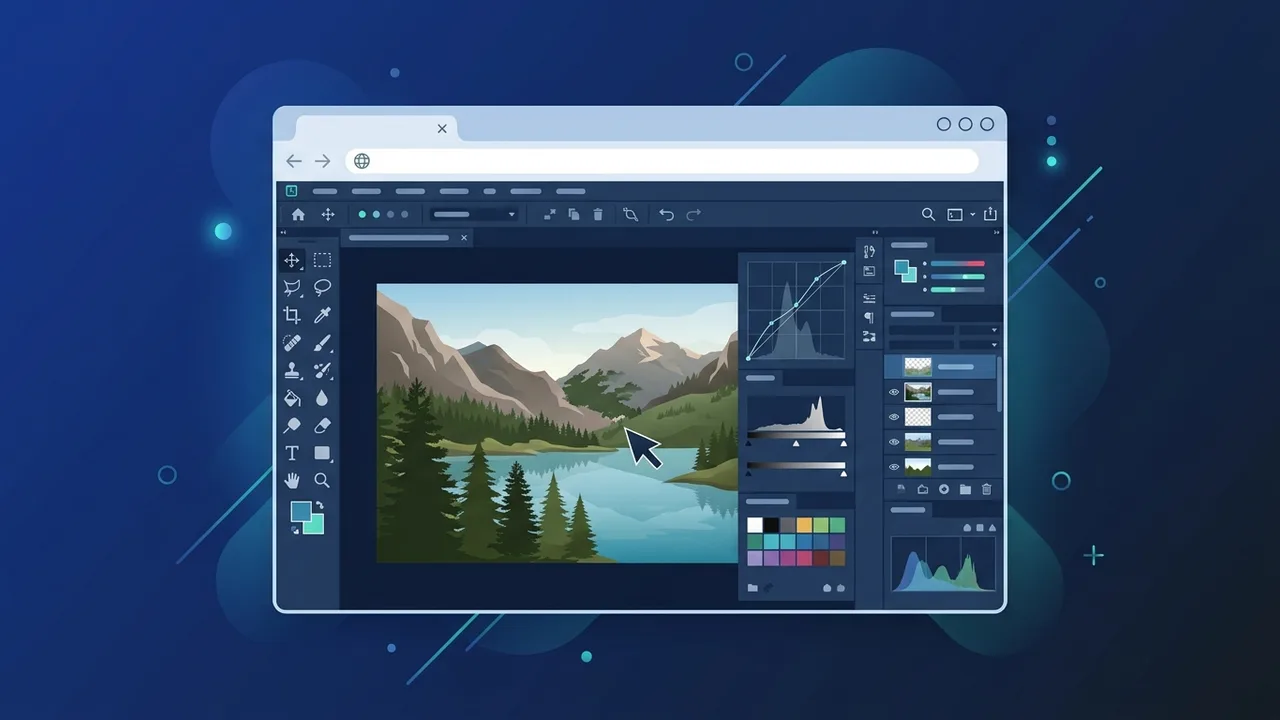
Overview of Photoshop online
The introduction of Photoshop online represents a monumental shift in the field of digital design and image editing. It offers visual creators, remote professionals, and agencies across Saudi Arabia a flexible and highly advanced design workspace directly inside their preferred web browsers. This cloud-based software environment eliminates the traditional requirement of installing heavy desktop programs that heavily tax system hardware and fill up valuable device storage.
In the vibrant and rapidly expanding digital market of Saudi Arabia, marketing experts, small businesses, and content creators frequently demand immediate, secure solutions for designing marketing graphics and adjusting product photos. Photoshop online solves this perfectly by integrating the essential and familiar desktop tools in an incredibly lightweight, fast, and agile interface built to accommodate real-time updates and fast-paced productivity.
Key Features
Using Photoshop online unlocks access to a powerful suite of modern design solutions engineered to streamline your everyday projects. Here is a detailed look at its prominent features:
- Integrated Cloud Storage: All modifications and project files are automatically backed up directly to the Adobe Creative Cloud. This ensures secure protection against data loss and grants seamless access to your files across multiple devices, such as tablets and alternative work laptops.
- Optimized, Accessible Interface: The system workspace is configured to be exceptionally user-friendly. Beginners can immediately adjust visual elements without facing steep learning curves, while professionals retain key advanced functions to control precision aspects of their imagery.
- Comprehensive Adjustments: The web toolkit includes essential operations like smart selection, one-click background removal, detailed layer management, color correction, standard filters, and vector masking options.
- Real-time Group Collaboration: Teams can easily share direct project links with colleagues or clients, letting them view, comment, or apply adjustments directly on the active file, greatly speeding up project cycles.
How to Use
To begin utilizing Photoshop online efficiently and unlock its full artistic capabilities, you can follow these practical and structured guidelines to construct or edit your digital assets from scratch:
Step 1: Access and Login
Launch your updated web browser (Google Chrome or Microsoft Edge is highly recommended) and head directly to the official web design hub. Log in with your active credentials to enter your customized cloud dashboard.
Step 2: Start a Canvas or Import a File
Once you are inside, click on the "Create New Document" button and specify your required dimensions based on your platform needs. Alternatively, you can drag and drop your existing local files (including PSD, JPEG, and PNG formats) directly into the window to begin editing immediately.
Step 3: Modify with Tools and Layers
The standard left-hand panel contains essential resources such as brushes, cropping utilities, and textual overlay elements. Use the layer stack on the right panel to isolate edits, ensuring that individual modifications remain adjustable without affecting other graphical assets.
Step 4: Save and Export
After refining your visuals, open the file menu and select "Export". Choose your preferred format (like PNG or JPEG) to generate high-quality outputs, or preserve the structural layers by exporting the project in the original PSD format for future edits.
Common Questions
When transitioning to Photoshop online, several common questions naturally arise concerning system compatibility, available tool limits, and performance differences. We address these questions in depth to ensure you can design confidently on the web:
One primary concern centers on performance optimization; the platform is custom-tuned to execute edits smoothly within standard web browsers without requiring high-end dedicated GPUs. Users also frequently ask about offline access. Since the core infrastructure relies heavily on cloud communication, a stable web connection is essential to guarantee automated real-time saving and file synchronization.
Important Tips
To secure a fluid, lag-free design experience when operating Photoshop online in Saudi Arabia, consider adopting these essential operational habits:
- Use Compatible Browsers: Always access the interface using browsers supporting full hardware acceleration (such as Google Chrome or Microsoft Edge) and keep them updated to their latest versions.
- Ensure Connection Stability: Since file syncing occurs continuously in the background, a secure high-speed connection prevents performance interruption or lag.
- Clear Cache Frequently: Periodically clearing your browser's temporary storage helps remove unnecessary web junk that might slow down your canvas response.
- Master System Shortcuts: Photoshop online natively supports many standard desktop keyboard shortcuts, allowing you to edit much faster and maximize productivity.
Conclusion
Photoshop online acts as a revolutionary web application that provides independent designers and businesses throughout Saudi Arabia with a reliable, budget-friendly design workspace. Combining browser portability with core cloud power, it allows users to deliver outstanding creative works seamlessly from any device.
If you need a genuine Adobe Master Collection 2025 Windows Lifetime license, you'll find it at ABMKeys at a fair price with instant WhatsApp delivery.
Frequently Asked Questions
Is Photoshop online completely free?
Can I open and edit PSD files in the cloud?
Does Photoshop online require a high-spec computer?
What are the best web browsers to run it efficiently?
You can get a genuine license from ABMKeys at a competitive price with instant WhatsApp delivery.
Buy Now