
Learn Photoshop web in Minutes
Discover how to use Photoshop web step by step, and explore key cloud features and AI tools to edit your professional photos directly in your browser.
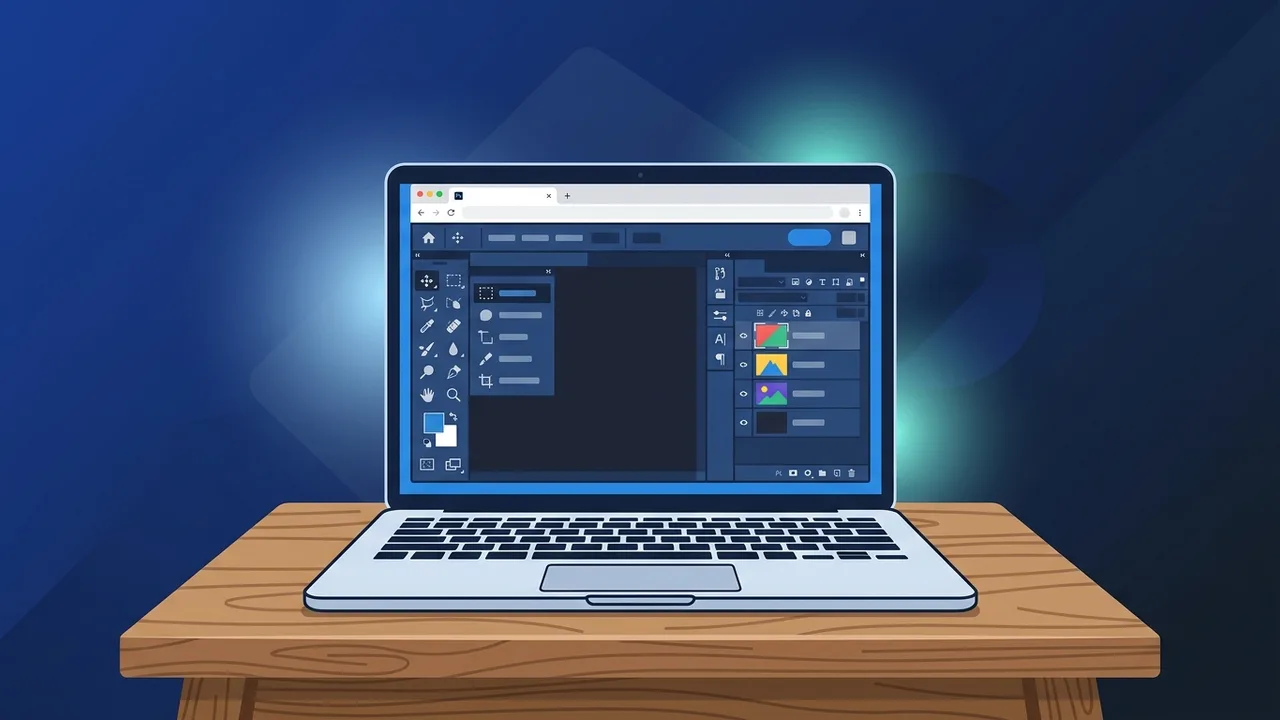
Many digital designers, marketing agencies, and creative businesses in Saudi Arabia are looking for flexible, quick-access solutions to modify graphics without needing high-end hardware. This is where Photoshop web comes in as a cutting-edge cloud-based solution that delivers professional image editing capabilities directly to any modern internet browser, combining workflow flexibility with high computing performance.
Overview of Photoshop web
The introduction of Photoshop web marks a monumental shift in how digital designs are created and managed. No longer are creators tied to expensive, heavy-duty workstations to perform quick or precise graphical modifications. Now, any compatible web browser like Google Chrome or Microsoft Edge can serve as an entry point to complete professional workflows. Built specifically to complement the Adobe Creative Cloud environment, this platform lets users open, edit, and save native PSD files in real-time, syncing seamlessly across multiple devices.
For businesses in Saudi Arabia modernizing their IT environments, this cloud version minimizes physical hardware costs and makes collaborative projects incredibly fast. The system delegates intense visual computing tasks to remote cloud servers, meaning local hardware memory is saved, and editing remains snappy even on standard-specification office laptops.
Key Features
The web-based application includes a highly optimized set of tools designed to cover most design workflows efficiently:
- Generative AI Integration: Backed by Adobe Firefly, the interface includes Generative Fill and Generative Expand. Users can add or modify image content easily through simple text descriptions.
- Real-time Collaboration: Team members and clients can view live designs, leave precise comments, and share review links instantly without exporting files back and forth.
- Advanced Layers and Masking: The application supports native layer grouping, opacity changes, and masking techniques, preserving the original layered structure of complex PSD files.
- Automated Cloud Syncing: Since the application runs completely online, progress is continually saved to the cloud, preventing data loss during network disruptions.
How to Use
Getting started with this modern cloud application is straightforward and requires only a few structured steps:
- Access the Platform: Launch a modern, compatible browser and visit the official Photoshop web link (web.photoshop.com).
- Log in to Your Account: Sign in with your Adobe ID to unlock your workspaces and load your saved cloud documents.
- Upload or Create a Canvas: Choose to start from scratch with custom width and height dimensions, or drag and drop an existing PSD or JPEG image file into the browser window.
- Explore the Workspace: Get familiar with the streamlined workspace, utilizing the main tool selection bar on the left, and the properties, settings, and layer controls on the right.
- Apply Edits: Use selection brushes, crop options, exposure tweaks, and color corrections to alter your imagery.
- Utilize AI Tools: Highlight specific areas with a selection lasso and type details in the generation prompt box to instantly construct new design elements.
- Export and Share: Save the final document directly to your creative cloud database or export it to local storage as PNG, JPEG, or a layered PSD file.
Common Questions
Professionals often wonder how the online platform matches up to traditional desktop software. Below, we address some of the most frequent technical inquiries from users to help you understand how this tool operates in day-to-day scenarios.
Can I edit large, multi-layered files on the web application?
Yes, the platform is fully capable of handling complex layered files. However, extremely large file sizes may take slightly longer to sync and load based on your internet bandwidth.
Is an active internet connection required?
Yes, since the software relies on remote servers for complex image processing and saving, you must have an active internet connection to load projects and utilize generative AI tools.
Important Tips
To ensure optimal speed, responsiveness, and file security while designing in your browser, keep these professional tips in mind:
- Keep Your Browser Updated: Always ensure Google Chrome, Microsoft Edge, or other supported browsers are updated to the latest version to utilize WebGL hardware acceleration properly.
- Maintain a Stable Connection: For smooth performance, connect via high-speed fiber or stable 5G connections, which are widely available across Saudi Arabia.
- Manage Browser Tabs: Close unused browser tabs when working with multiple high-resolution images to free up local system memory and prevent browser crashes.
Conclusion
Photoshop web represents a massive leap forward for flexible visual design. By removing hardware constraints and enabling instant, browser-based access, it provides Saudi designers, teams, and enterprises with the perfect tools to quickly create, edit, and collaborate on stunning visuals wherever they are.
If you need a genuine Adobe Master Collection 2025 Windows Lifetime license, you'll find it at ABMKeys at a fair price with instant WhatsApp delivery.
Frequently Asked Questions
Do I need a high-end computer to run Photoshop web?
Can I open normal PSD files in Photoshop web?
Does Photoshop web support Adobe Firefly AI tools?
Is Photoshop web completely free to use?
You can get a genuine license from ABMKeys at a competitive price with instant WhatsApp delivery.
Buy Now