
editable powerpoint quiz templates ppt from Zero to Pro
Editable PowerPoint quiz templates PPT are among the most effective interactive tools for Saudi classrooms and digital learning platforms. This step-by-step guide covers how to download free templates, customize questions, add sound effects, and share quizzes via Madrasati and Microsoft Teams.
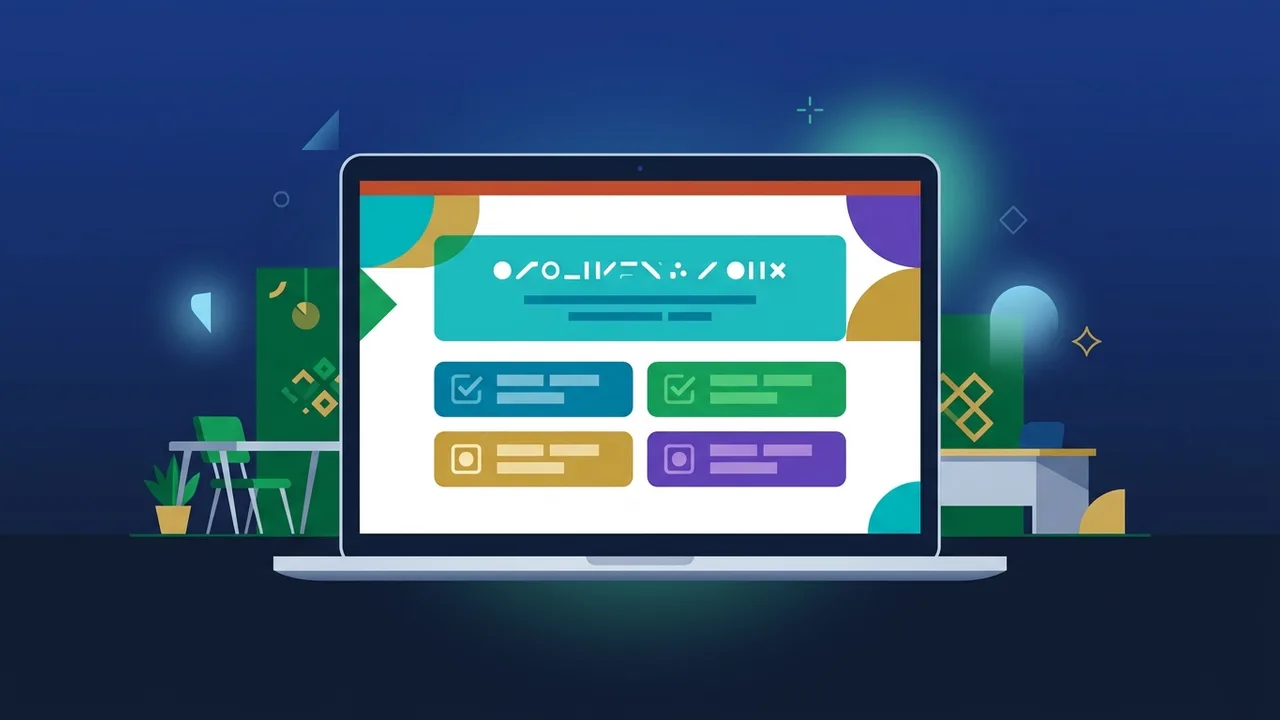
Editable PowerPoint quiz templates PPT have become one of the most practical tools in Saudi classrooms and corporate training rooms alike. Whether you are a teacher using Madrasati or a trainer hosting a live session on Microsoft Teams, a well-designed interactive quiz template can transform passive learners into active participants. This step-by-step guide walks you through everything — from finding the right free template to sharing a polished, fully customized quiz with your audience.
What Are Interactive PowerPoint Quizzes and Why Do You Need Them?
Interactive PowerPoint quizzes are slide-based presentations that use hyperlinks, animated triggers, and branching logic to simulate a game-show or quiz-bowl experience. Unlike a static slide deck, these templates respond to user input by navigating to a "correct answer" or "wrong answer" slide depending on the choice made — all without leaving PowerPoint.
In the Saudi education context, educational PowerPoint games align perfectly with the active-learning strategies promoted by the Ministry of Education. Teachers running synchronous lessons on Madrasati or Teams find that a timed, visually engaging quiz dramatically increases student participation and reduces distraction.
- Provide instant feedback without grading manually
- Work across grade levels and subject areas
- Require no additional apps or subscriptions
- Can be reused and updated each academic term
Best Sources to Download Free Editable PowerPoint Quiz Templates
Finding a high-quality editable PPT quiz free download is easier than most teachers expect. Here are the most reliable sources:
1. Microsoft Office Template Library
Open PowerPoint, click "File" then "New," and search for "quiz" or "trivia." The built-in library includes several dynamic PowerPoint templates that are fully editable and licensed for educational use. Teachers in KSA with a Ministry of Education Microsoft 365 account can access the full premium template library at no additional cost.
2. SlidesCarnival and Slidesgo
Both platforms offer hundreds of free presentation templates, including quiz-style layouts. Many of these can be converted into a complete interactive classroom quiz PPT with minimal editing.
3. Teachers Pay Teachers
This platform hosts both free and paid quiz templates built specifically for classroom use, including Jeopardy PowerPoint template formats that are highly popular in game-based learning.
4. Arabic Educational YouTube Channels
Many Saudi and Arab educators share free PPT quiz files directly in their video descriptions. Searching for "تحميل مسابقات بوربوينت" on YouTube often yields localized templates with Arabic text already included.
Step-by-Step Guide: How to Customize Questions and Answers in Your Quiz Template
Once you have downloaded your template, follow these steps to make it your own:
Step 1: Review the Slide Structure
Before editing anything, browse all slides to understand the flow: home screen, question slides, correct-answer slides, wrong-answer slides, and the score summary. Knowing the structure prevents accidental breaks in the hyperlink chain.
Step 2: Replace Placeholder Text
Double-click any text box to enter edit mode. Replace the sample questions with your own, and update the four answer choices on each question slide. Mark the correct answer clearly — either with a distinct color or a checkmark icon.
Step 3: Update Hyperlinks
Right-click the answer button, select "Hyperlink" (or "Action"), and link it to the appropriate slide — the correct-answer slide or the wrong-answer slide. This hyperlink logic is what makes interactive PowerPoint game templates work. Check every button on every question slide.
Step 4: Customize Colors and Fonts
Use your school or organization's brand colors. For Arabic content, choose web-safe Arabic fonts such as Cairo or Tajawal to ensure correct rendering on all devices.
Step 5: Run a Full Test
Press F5 to launch the slideshow from slide one. Click every answer option to confirm navigation works correctly. This is the most important quality-check step before using the quiz in a live session.
How to Add Sound Effects and Countdown Timers to Boost Classroom Excitement
Sound effects and countdown timers turn an ordinary quiz into an energizing classroom event. Here is how to add both:
Adding Sound Effects
Go to the "Insert" tab, click "Audio," then "Audio on My PC." Choose a short WAV or MP3 file — an applause sound for correct answers and a buzzer for wrong answers. In the audio settings panel on the right, set playback to "Automatically" so the sound triggers the moment the slide appears.
Adding a Countdown Timer
There are two practical methods. The first uses an animated text box: insert a text box with the number "10," duplicate the slide nine more times decreasing the number by one, and set each slide transition to advance automatically after one second. The second method inserts a free countdown timer video (available on YouTube as MP4 downloads) via "Insert" → "Video" → "Video on My PC." Both approaches add urgency and excitement consistent with custom classroom games PPT best practices.
Tips for Designing PowerPoint Quizzes Aligned with Saudi Culture and Identity
Localization significantly increases student engagement. Consider the following when building a Madrasati compatible PPT for a Saudi audience:
- Use appropriate color schemes: Green and white for Saudi National Day (September 23) quizzes; gold and brown tones for Saudi Founding Day (February 22) themed templates.
- Incorporate local context in questions: Replace generic math word problems with examples referencing Saudi cities, landmarks, or cultural events.
- Choose right-to-left (RTL) layouts: PowerPoint supports RTL text direction. Enable it under "File" → "Options" → "Advanced" to ensure Arabic text flows correctly.
- Use culturally appropriate imagery: Select icons and illustrations that reflect Saudi values and the guidelines of the Ministry of Education.
- Build curriculum-aligned content: Map each question to a specific learning objective from the official Saudi curriculum to make the quiz a valid assessment tool.
How to Share Interactive PowerPoint Quizzes via Madrasati Platform and Teams
Creating a great quiz is only half the work — getting it to your students seamlessly is equally important.
Sharing via Madrasati
- Log in to your Madrasati teacher account.
- Navigate to the relevant class and open the "Content" or "Assignments" section.
- Upload the PPTX file directly. Avoid converting to PDF if you want hyperlinks to remain functional.
- Add a brief description instructing students to download and open the file in PowerPoint rather than the browser viewer.
Sharing via Microsoft Teams
- Open your class channel in Teams and click the attachment icon in the chat or Files tab.
- Upload the PPTX from your device or OneDrive.
- During a live Teams meeting, use "Share Screen" to run the quiz interactively for the whole class.
- Alternatively, use the "PowerPoint Live" feature built into Teams meetings for a smoother, more interactive experience that also lets students scroll through slides independently.
Saudi teachers holding Ministry of Education Microsoft 365 licenses already have full access to the latest version of PowerPoint and its complete feature set, making all of the techniques described above available at no extra cost.
If you need a genuine Office 2021 Pro Plus Lifetime license, you'll find it at ABMKeys at a fair price with instant WhatsApp delivery.
Frequently Asked Questions
Can editable PowerPoint quiz templates retain their hyperlinks when uploaded to Madrasati?
What is the difference between a standard PowerPoint quiz template and an interactive editable one?
You can get a genuine license from ABMKeys at a competitive price with instant WhatsApp delivery.
Buy Now