
ABBYY FineReader PDF with OCR Head-to-Head — Which Fits You?
A comprehensive comparison of ABBYY FineReader PDF with OCR, exploring key features, differences between editions, and how to optimize document digitization workflows.
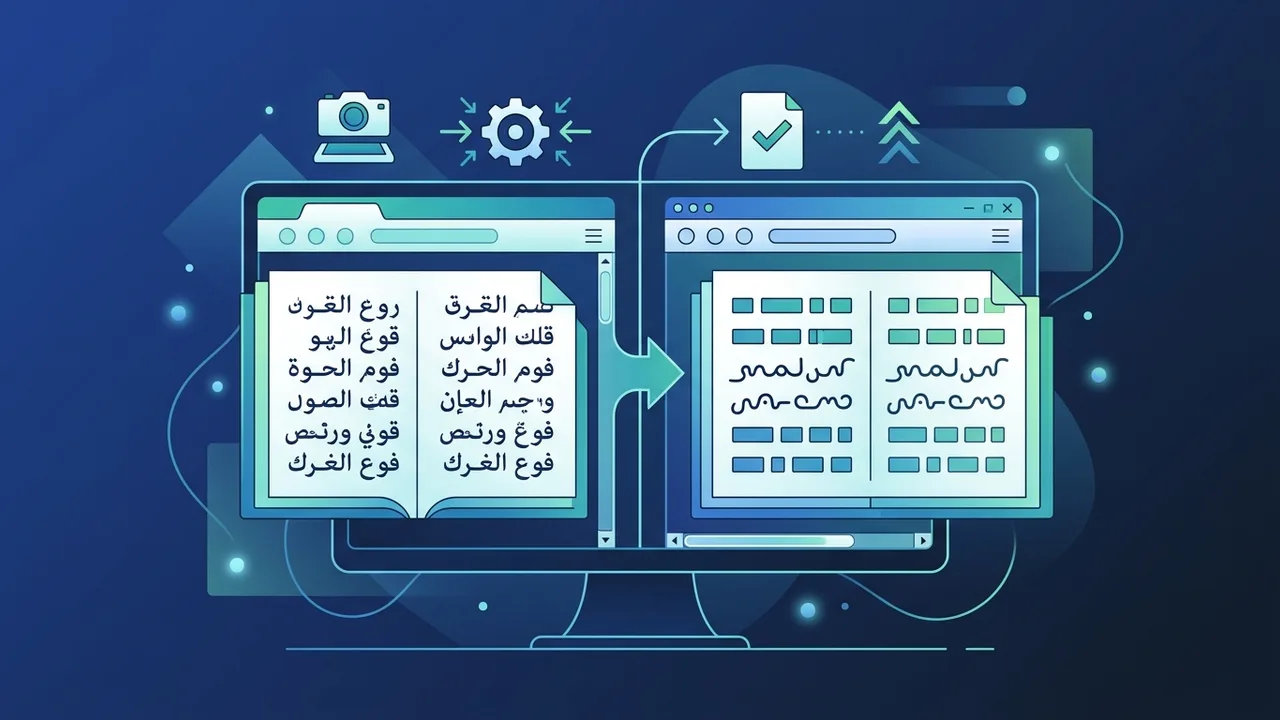
Overview of ABBYY FineReader PDF with OCR
In the rapidly expanding business environment of Saudi Arabia, digital transformation has become a foundational pillar for operational efficiency under Vision 2030. Organizing, digitizing, and managing paper documents requires reliable software solutions that can accurately bridge the gap between physical paper and searchable digital media. This is where ABBYY FineReader PDF with OCR comes into play as a world-class standard in Optical Character Recognition (OCR) and PDF management. Designed to meet the requirements of modern businesses, legal entities, educational institutions, and individual professionals, this platform offers tools to digitize, edit, protect, and share critical document workflows.
When examining the product options, users often find themselves comparing different editions, specifically the Standard version versus the Corporate version. Choosing the right license type depends on your workflow requirements—whether you need simple single-user document editing or automated multi-user batch processing. This comparative review provides a clear look at what ABBYY FineReader PDF with OCR offers to help Saudi professionals make an informed decision for their digital productivity needs.
Key Features
Understanding the unique technical strengths of ABBYY FineReader PDF with OCR highlights why it remains a preferred solution for professionals globally. Here are the core features:
- Outstanding OCR Precision: Leveraging advanced artificial intelligence algorithms, the software recognizes texts in over 190 languages, including complex scripts like Arabic and English, delivering extreme accuracy even on low-resolution scans.
- Seamless Format Conversion: Beyond extracting text, it reconstructs the original document formatting. It preserves tables, images, multi-column layouts, headers, footers, and font structures, saving countless hours of manual reconstruction.
- Comprehensive PDF Editing: Users can modify text and images directly inside existing PDF files. This includes correcting typos, reordering pages, annotating, merging multiple files, and applying secure digital signatures or redactions for confidential business information.
- Advanced Document Comparison: A standby feature in the Corporate edition allows users to compare two versions of the same document across different formats (such as a scanned PDF versus a Word file). It highlights differences instantly, preventing human errors in contract reviews.
- Workflow Automation (Hot Folders): Perfect for high-volume corporate settings, the Hot Folder feature lets users set up specific directories that automatically run OCR on any incoming scanned document or image without needing manual intervention, making ABBYY FineReader PDF with OCR an indispensable asset.
How to Use
To harness the full power of ABBYY FineReader PDF with OCR easily, follow these systematic steps to integrate the platform into your daily document workflows:
- Open and Import: Launch the application and import your document. This can be a digital PDF, a standard image file, or a scanned paper document.
- Language Selection: To maximize character recognition accuracy, select the specific languages used in the document (for example, combining Arabic and English for bilingual corporate papers) within the settings pane.
- Review and Correct: Utilize the interactive editing screen to inspect the converted text. The program highlights characters that might require review, allowing you to quickly cross-check with the original image.
- Export and Save: Once satisfied, export the output to your desired format. Supported formats include Microsoft Word, Excel, searchable PDF, or e-book extensions like EPUB, ready for seamless distribution.
Common Questions
In this section, we address the most frequently asked questions about the software to help you understand the licensing models and technical details before purchasing.
Important Tips
To guarantee an optimal experience and maximize your return on ABBYY FineReader PDF with OCR in your professional environment, keep these essential practices in mind:
- Avoid Cracked Softwares: Utilizing unauthorized software versions endangers your network with malware risks, ransomware, and system vulnerabilities, while also depriving you of critical security patches and official support.
- Match Licensing with Business Scope: If your operations involve checking contracts, scanning large archives, or setting up automated queues, the Corporate edition is highly recommended to save valuable working hours.
- Optimize Scan Quality: For the highest OCR precision, scan physical paperwork at a minimum resolution of 300 DPI. Clear source material directly influences the quality of the final digital output.
- Keep the Software Updated: Regularly applying the minor updates released by the developer ensures that your OCR engine remains fast, secure, and fully compatible with the latest operating systems.
Conclusion
In conclusion, ABBYY FineReader PDF with OCR is an outstanding productivity tool that facilitates flawless document digitization for individuals and businesses across Saudi Arabia. Its capability to process bilingual Arabic-English files with total accuracy, combined with strong security protocols, makes it a vital investment for modern digital workspaces. Securing a genuine software license ensures that your business operates efficiently, legally, and without operational interruption.
You can get a genuine ABBYY FineReader PDF with OCR license from ABMKeys at a competitive price with instant WhatsApp delivery.
Frequently Asked Questions
What is the difference between the Standard and Corporate editions of ABBYY FineReader PDF with OCR?
Does the software provide strong support for Arabic OCR?
Can I run the application offline?
What are the minimum system requirements for deployment?
You can get a genuine license from ABMKeys at a competitive price with instant WhatsApp delivery.
Buy Now