
7 Practical Steps to Eid PowerPoint games for adults
Learn how to design fun and interactive Eid PowerPoint games for adults step by step. Our practical guide shows you how to set up festive digital games to elevate your holiday gatherings.
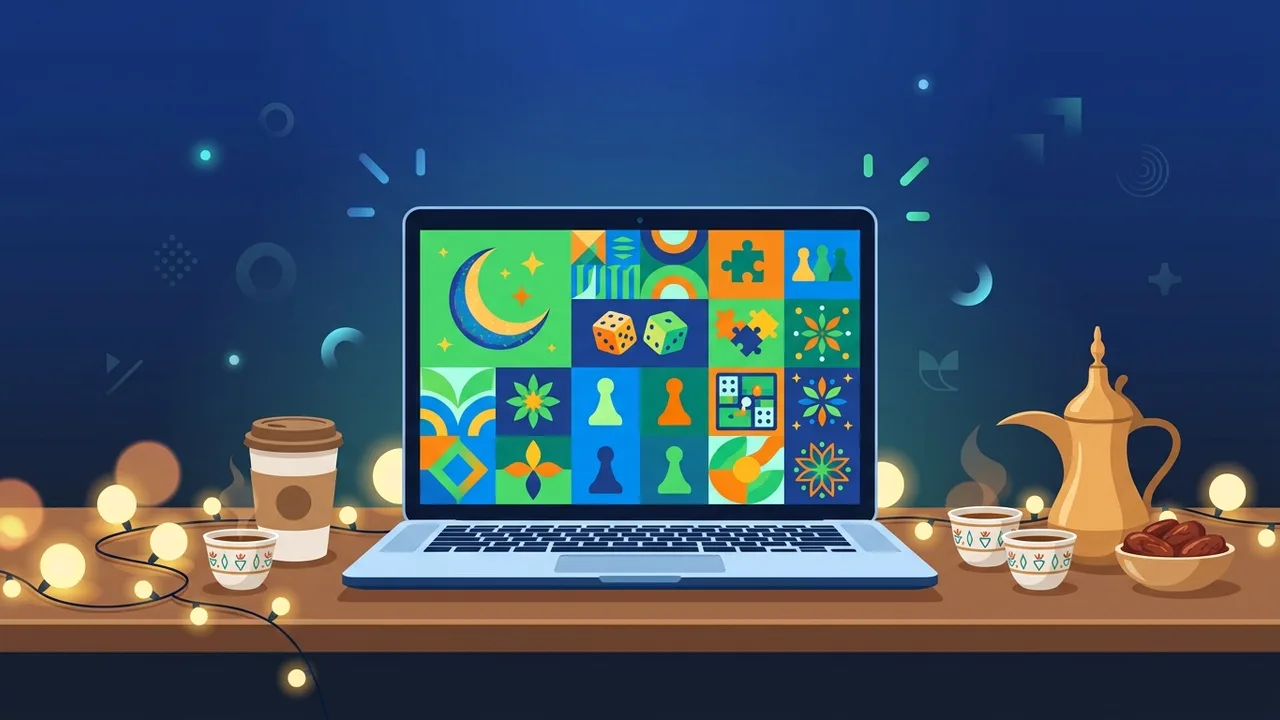
Family reunions and social gatherings in Saudi Arabia during the blessed holidays of Eid al-Fitr and Eid al-Adha are among the most cherished times of the year. To bring a sense of joy, excitement, and friendly competition to these events, many families seek out interactive and creative entertainment ideas. Today, Eid PowerPoint games for adults stand out as an ideal digital choice that combines festive fun with modern technology. These digital games let organizers design custom trivia questions, cultural quizzes, and mental puzzles that resonate with adults, keeping everyone engaged and laughing using a home television screen or projector setup.
Overview of Eid PowerPoint games for adults
Creating and running Eid PowerPoint games for adults is a highly effective way to elevate the energy of any festive gathering. Instead of relying on old-fashioned pen-and-paper trivia, Microsoft PowerPoint enables hosts to turn any living room or community hall into an interactive game show stage, complete with professional visuals. These games typically center around Saudi culture, historical trivia, wordplay, and visual guessing games. Utilizing the advanced animation and hyperlinking features of presentation software, you can easily manage the flow of the game, show answers dynamically, and create a highly immersive and suspenseful experience for all participants.
Key Features
When looking to design an unforgettable holiday activity in Saudi Arabia, choosing Eid PowerPoint games for adults offers many unique features and benefits over traditional formats:
- Dynamic Interaction: Through the smart use of hyperlinks and triggers, you can build interactive game boards (similar to Jeopardy) where clicking a specific point immediately reveals the selected question and easily navigates back to the scoreboard.
- Complete Creative Freedom: You can modify colors, fonts, and imagery to match the vibrant festive themes of Saudi Eid celebrations. You can even personalize slides with old family photographs or local memories for a heartwarming touch.
- Seamless Multimedia Support: Easily integrate high-definition images, video files, and lively sound effects—such as timers ticking, applause, or humorous buzzers for incorrect answers—to enrich the competitive environment.
- Straightforward Setup: Running the game does not require expert IT skills. A simple connection between a laptop and a smart TV screen using an HDMI cable or wireless casting is all it takes to display the game to the whole room.
How to Use
To design your own Eid PowerPoint games for adults from scratch and host a seamless, interactive session, follow this step-by-step practical guide:
- Define Your Game Concept: Start by selecting a theme. Excellent ideas for adult audiences include Saudi heritage trivia, guessing popular idioms from emojis, and fast-paced word association challenges.
- Draft and Curate Content: Write down your questions and correct answers in a separate draft file. Balance the difficulty levels to ensure there are simple, medium, and highly challenging questions to suit different personalities in the room.
- Select a Vibrant Template: Open PowerPoint and choose a template featuring warm, celebratory colors (such as deep greens, golds, and purples). Use large, bold fonts like Arial or Calibri to guarantee high visibility from across the room.
- Build Interactive Hyperlinks: Draw vector shapes (like squares or circles) to act as buttons. Right-click the shape, select 'Hyperlink' or 'Link', choose 'Place in This Document', and link it directly to the corresponding question slide. Add a 'Back' button on your question slides to return to the main board.
- Embed Timers and Sound Effects: Create an exciting atmosphere by inserting a 30-second visual countdown timer on each question slide, accompanied by an ticking sound effect to encourage quick thinking.
- Thoroughly Test the Slide Deck: Before your guests arrive, run the presentation in full slideshow mode. Click every single interactive button and hyperlink to ensure they lead to the correct slides and that all animations trigger properly.
- Prepare the Physical Venue: Test your hardware beforehand. Make sure your laptop's screen mirroring settings are correct, and test the TV or projector speaker volume to make sure the sound effects are audible to everyone.
Common Questions
To help you host a flawless and enjoyable game session, we have answered the most common technical and organizational questions:
- Do I need an active internet connection to play the PowerPoint game?
No, once the file is fully created and saved locally on your computer's hard drive, you can run the entire presentation completely offline, making it perfect for remote chalets, farms, or desert camps. - Where can I find pre-designed templates for holiday games?
While many free templates are available online, we highly recommend using a genuine and activated version of Microsoft PowerPoint to ensure that all embedded transitions, fonts, and advanced features render correctly without glitching. - Can I host the game using my smartphone instead of a computer?
Yes, the PowerPoint mobile app allows you to present directly from a phone or tablet. However, a laptop remains the ideal choice for smoother control over complex triggers and audio outputs during live gameplay. - How should I group and organize the players?
We recommend dividing your guests into two or three balanced teams. Assign a captain to speak for each team and use a physical whiteboard or a dedicated score slide to keep track of points in real-time.
Important Tips
Keep these highly effective tips in mind to ensure your Eid PowerPoint games for adults run smoothly and deliver maximum fun:
- Rely on Genuine Office Software: Designing and presenting with an officially licensed version of Microsoft Office ensures absolute stability, preventing embarrassing software crashes or sudden activation pop-ups in the middle of your family game.
- Keep Slides Clean and Visual: Avoid long paragraphs. Use concise bullet points, bright icons, and high-quality graphics so that participants can easily focus on solving the question.
- Prepare Exciting Prizes: Having physical gifts, gift cards, or chocolate boxes for the winning team significantly increases motivation and raises the stakes for friendly competition.
- Respect the Time Limit: Keep the overall game duration between 45 to 60 minutes. Ending the activity while everyone is still highly energized ensures they leave with fantastic memories and look forward to the next game.
Conclusion
Designing interactive Eid PowerPoint games for adults is an outstanding and modern way to bring your loved ones closer, spark laughter, and create unforgettable memories during holiday gatherings in Saudi Arabia. By implementing the practical planning steps outline in this guide, you can confidently run a highly professional game show in your own living room. To avoid any unexpected technical issues and guarantee smooth animation transitions, always make sure to use genuine, fully activated software tools.
If you need a genuine Office 2021 Pro Plus Lifetime license, you'll find it at ABMKeys at a fair price with instant WhatsApp delivery.
Frequently Asked Questions
Do I need internet access to run the PowerPoint game?
How can I ensure smooth animations and transitions in the game?
Is it possible to run interactive Eid games from a smartphone?
What is the recommended duration for an adult Eid game?
You can get a genuine license from ABMKeys at a competitive price with instant WhatsApp delivery.
Buy Now