
7 Practical Steps to Arabic PowerPoint Backgrounds
Learn step by step how to choose and design professional Arabic PowerPoint backgrounds that align with Saudi identity and Vision 2030 to ensure readable presentations.
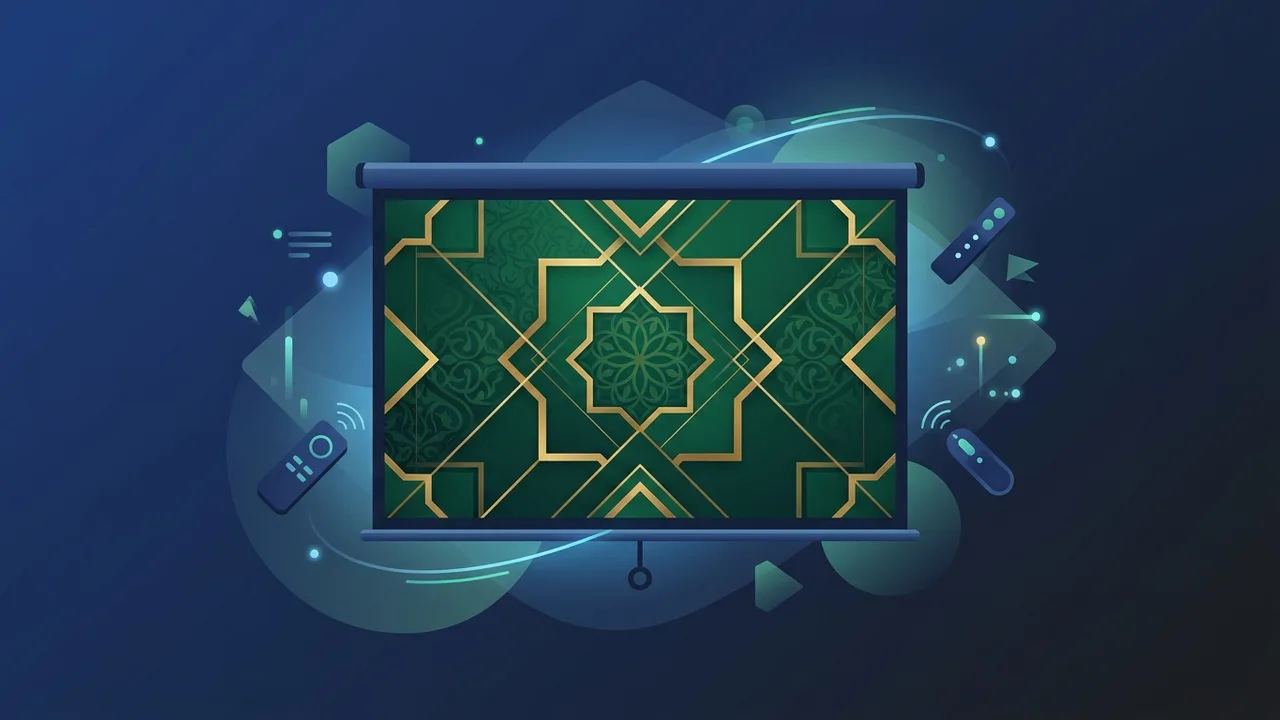
The Importance of Choosing PowerPoint Backgrounds Aligned with Arabic Culture
In light of Saudi Arabia’s rapid developmental strides under Vision 2030, delivering engaging presentations has become a vital skill across government ministries, private sectors, and academic institutions. A well-constructed presentation does not merely present facts; it conveys professionalism and respects cultural identity. Selecting appropriate arabic powerpoint backgrounds ensures your message resonates deeply with your local audience.
When delivering RTL presentation templates, integrating authentic cultural symbols—such as delicate Islamic geometric slide designs or the official Saudi green—helps establish immediate trust and connection. It demonstrates attention to detail and cultural awareness, turning routine slideshows into highly polished, professional communications that reflect Saudi heritage and national pride.
Furthermore, utilizing tailored Saudi National Day PowerPoint themes or culturally appropriate templates creates unified branding for organizations. This consistency helps modern Saudi businesses project an image of contemporary professionalism balanced with authentic local values, ensuring maximum engagement during high-level strategic pitches or educational workshops.
Criteria for Selecting the Right Background (Educational, Formal, Commercial)
To ensure your presentation leaves a lasting impression, the style of your slide background should match your audience's expectations and the overall objective of the session:
- Educational Settings (Schools and Madrasati Platform): Focus on clean, highly engaging designs. Using subtle animations or soft-colored layouts keeps students engaged without causing cognitive overload or distraction.
- Official & Government Settings: Opt for minimalist Arabic presentation slides or formal PPT backgrounds. These typically utilize muted cream, light grey, or off-white backdrops adorned with tiny, elegant geometric motifs in the corners to project a steady and authoritative tone.
- Corporate & Commercial Settings: Choose sleek, modern layouts with plenty of white space. This structure ensures that product details, metrics, and project timelines remain the focal point of the slide, emphasizing efficiency and corporate growth.
Step-by-Step: How to Configure Slide Settings for Arabic Typography
Creating professional presentations in Arabic requires proper layout adjustment to accommodate the right-to-left flow of the script. Follow this simple technical guide to set up your slides correctly:
Step 1: Set the Text Direction to Right-to-Left (RTL)
Open Microsoft PowerPoint, go to the Home tab, and locate the paragraph settings. Always click the "Right-to-Left Text Direction" button before typing any text. This ensures punctuation, bullet points, and numbers align correctly and do not shift unexpectedly.
Step 2: Configure Standard Arabic Typography
Typography is critical to readability. Avoid over-decorated fonts for body copy. Instead, select professional, highly readable sans-serif Arabic fonts such as Tajawal, Amiri, or Calibri Arabic. To apply this systematically across all your slides:
- Go to the "View" tab on the top ribbon and select "Slide Master".
- Select the main parent slide, select the title and body placeholders, and assign your preferred Arabic fonts.
- Exit the Slide Master view; now, every new slide you add will automatically adopt these optimized typography settings.
How to Design a Custom Arabic PowerPoint Background Using Microsoft Office Tools
You do not need graphic design software to build impressive slides. You can download free Arabic PPT layouts or easily create your own within Microsoft Office by following these simple design techniques:
Leverage the Power of the Slide Master
Using the Slide Master (View > Slide Master) allows you to draw shapes, lines, or insert watermarks that will repeat seamlessly across all slides, saving you valuable time and ensuring absolute consistency.
Add Geometric Elements and Cultural Colors
Create visual interest by inserting geometric vector shapes or delicate patterns into the corners of your slides. Fill these shapes with professional gradients featuring deep emerald greens or metallic gold tones. Be sure to increase the transparency level to 85%–95% so the background elements never overpower the main text of your slides.
Save Your Layout as a Reusable Template
Once satisfied with your custom-made design, navigate to File > Save As. Change the file format dropdown to "PowerPoint Template (*.potx)". This allows you to reload this exact layout whenever you need to start a new project in the future.
Tips for Coordinating Text Colors with Backgrounds to Ensure Readability
Legibility is the cornerstone of any successful presentation. When utilizing Arabic calligraphy presentation backgrounds, prioritizing high contrast ensures your audience can read your points effortlessly from anywhere in the room:
- Establish Strong Contrast: Always use dark text (such as deep charcoal, navy blue, or dark green) on light-colored backgrounds (cream, light grey, or white). If you prefer a dark-themed presentation, use crisp white or bright gold text against a dark background to make your text pop.
- Avoid Saturated Neon Hues: Highly saturated neon yellows, oranges, or bright reds can cause eye strain within minutes. Use these colors strictly for accenting key metrics or icons, never for entire paragraphs of text.
- Optimal Font Sizes & Spacing: Keep your main titles at a minimum of 32 points and your body text between 18 and 24 points. Adjust line spacing to at least 1.15 to prevent Arabic letters with long ascenders and descenders from overlapping.
Best Safe Sources to Download PowerPoint Templates Supporting Saudi Identity
If you are pressed for time, opting for an Arabic PowerPoint templates free download from a reputable provider is an excellent shortcut. Here is how to find safe, professionally designed templates without risking system security:
- Microsoft Create & Built-In Templates: Microsoft offers a massive library of built-in templates optimized for localized languages. These are perfectly integrated, malware-free, and fully compatible with modern Office suites.
- Trusted Educational & Professional Hubs: Use reputable national design resources that specialize in Saudi-themed layouts. This ensures the visual assets match official government formatting guidelines.
- Avoid Suspicious Third-Party Portals: Refrain from downloading files from untrusted, ad-heavy websites. These templates often contain broken layouts, outdated typography, or malicious scripts that can compromise your personal computer or corporate network. Always obtain your templates from secure, official channels.
If you need a genuine Office 2021 Pro Plus Lifetime license, you'll find it at ABMKeys at a fair price with instant WhatsApp delivery.
Frequently Asked Questions
How do I change the text direction to Arabic in PowerPoint?
What are the best Arabic fonts for formal presentations?
How can I design a template that supports Saudi national identity?
Are there safe, ready-made Arabic templates available for download?
You can get a genuine license from ABMKeys at a competitive price with instant WhatsApp delivery.
Buy Now